Cheer
UX/UI Design
Welcome to Cheer
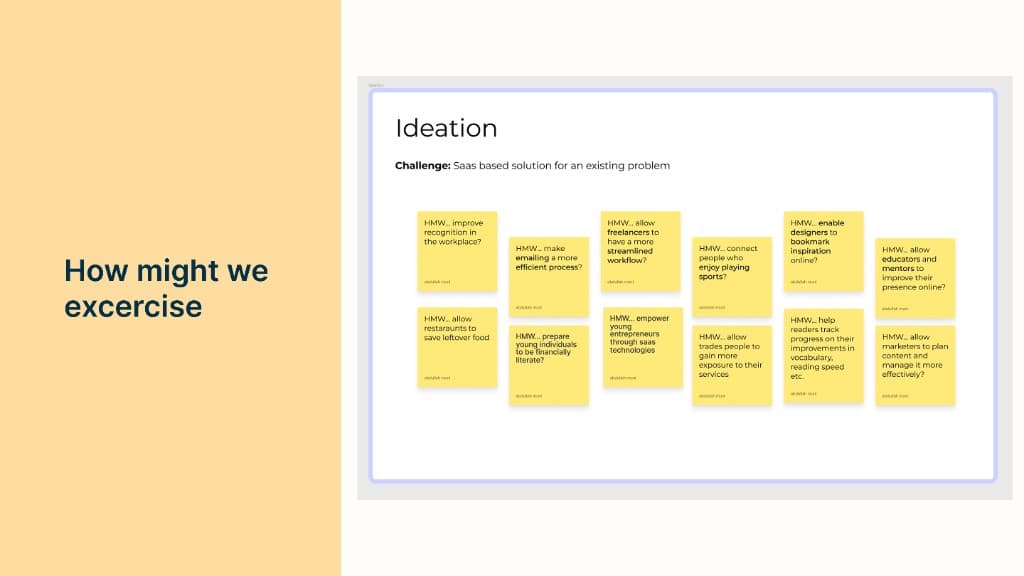
I was tasked to create a SAAS product solution within less than a week's time that solved for an identified problem. To start I began with a how might we exercise to brainstorm problems that I could potentially solve for.
Context
The problem I decided to solve for was the lack of recognition that goes on in the workplace today. So to start, I built context around the problem with a journalism technique known as the 5 W's 1 H method which allows me to understand more about the problem and the product solution I would be designing.
Research and Findings
To further the contextualization of the problem, I took some time to validate that the problem I wanted to solve for was legitimate. Through anecdotal experiences, social media findings, and research articles I found enough information that speaks to the fact that workplaces often times than not are not giving employees the recognition they deserve.
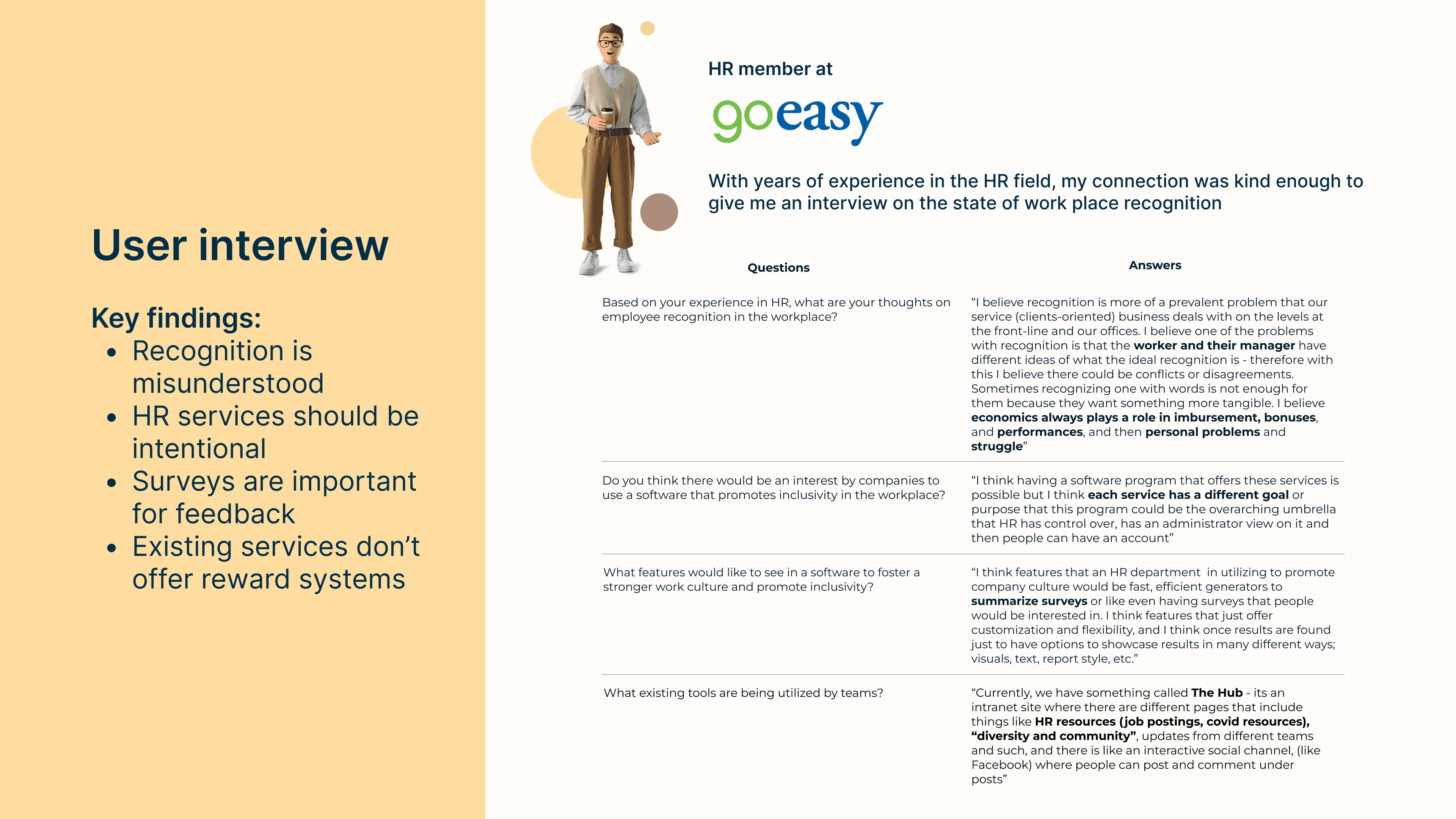
User Interview
Within the week's time for this challenge, I was fortunate enough to interview an HR employee at Goeasy which gained me valuable insight and validation to the ongoing problem of lack of workplace recognition.
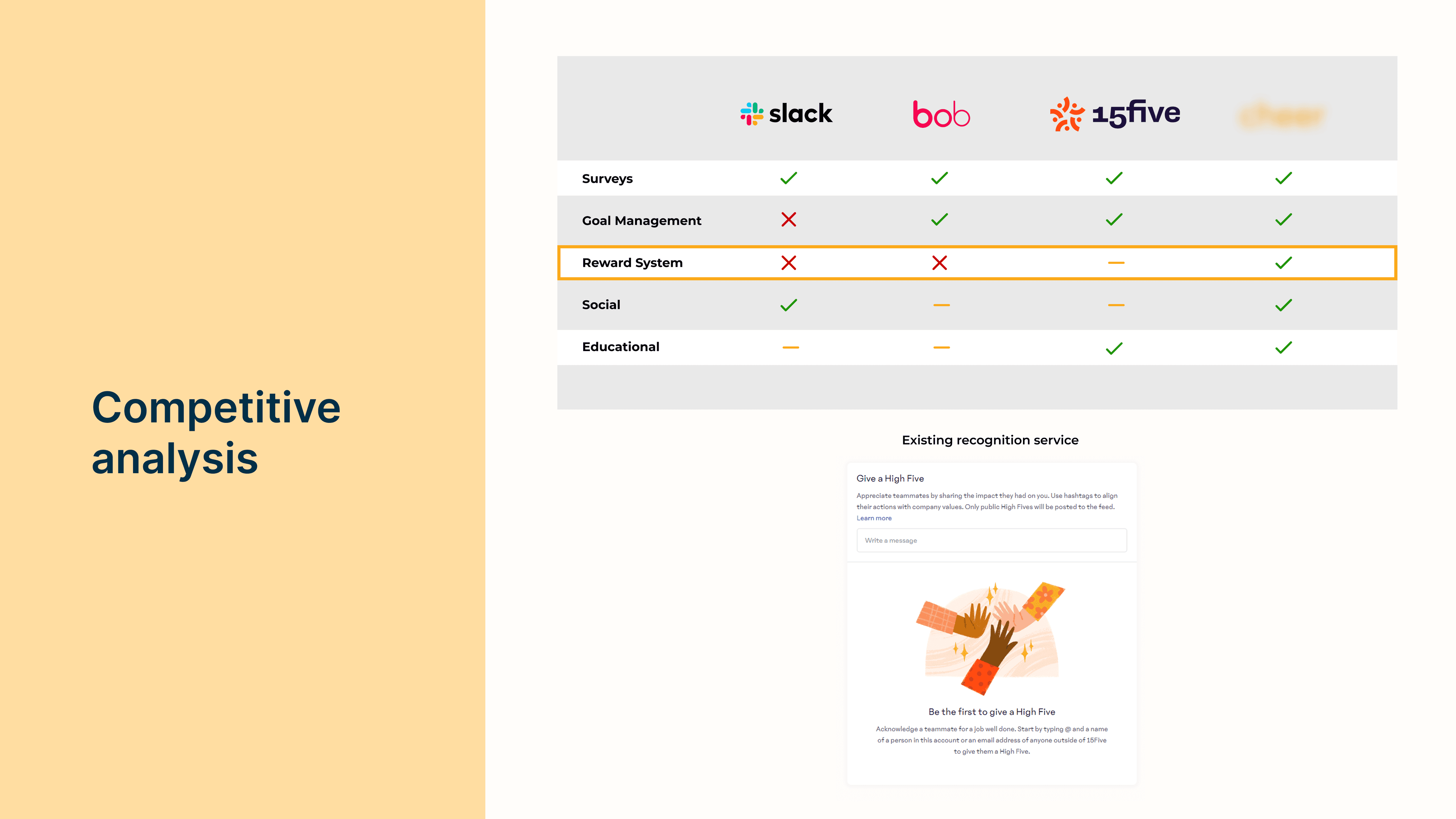
Competitive Analysis
I also took time to analyze existing services that serve to enhance environments in the workplace. In the findings, there was really no service that specifically offers a service that targets recognizing employees for their efforts.
Impact/Effort Matrix
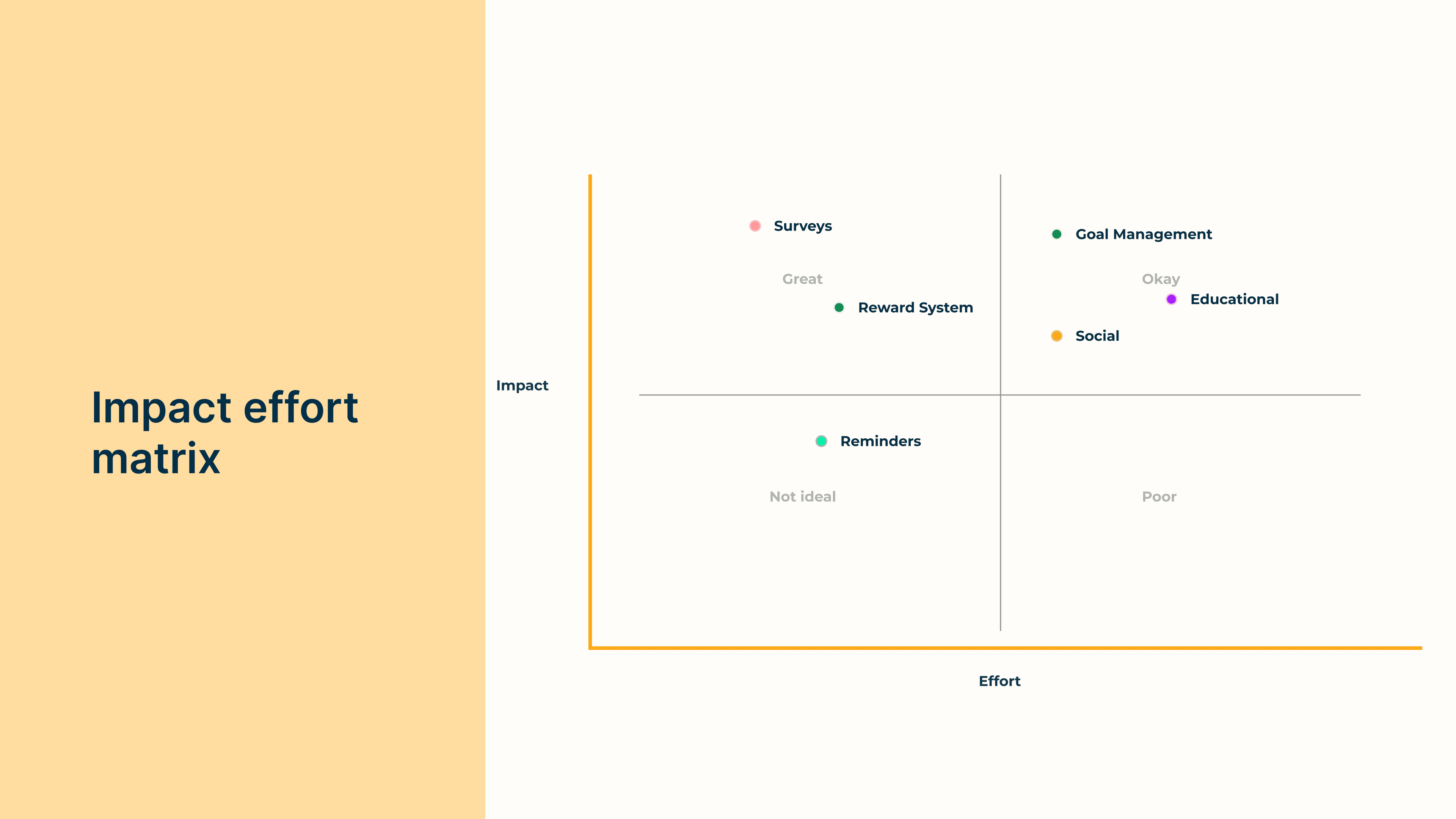
To help identify key features that would take priority in the product pipeline, I opted into an impact/effort matrix model that assesses the relativity of products based on the impact I believe the feature would have on the problem vs the time and effort it would take to build that feature.
Product Pipeline
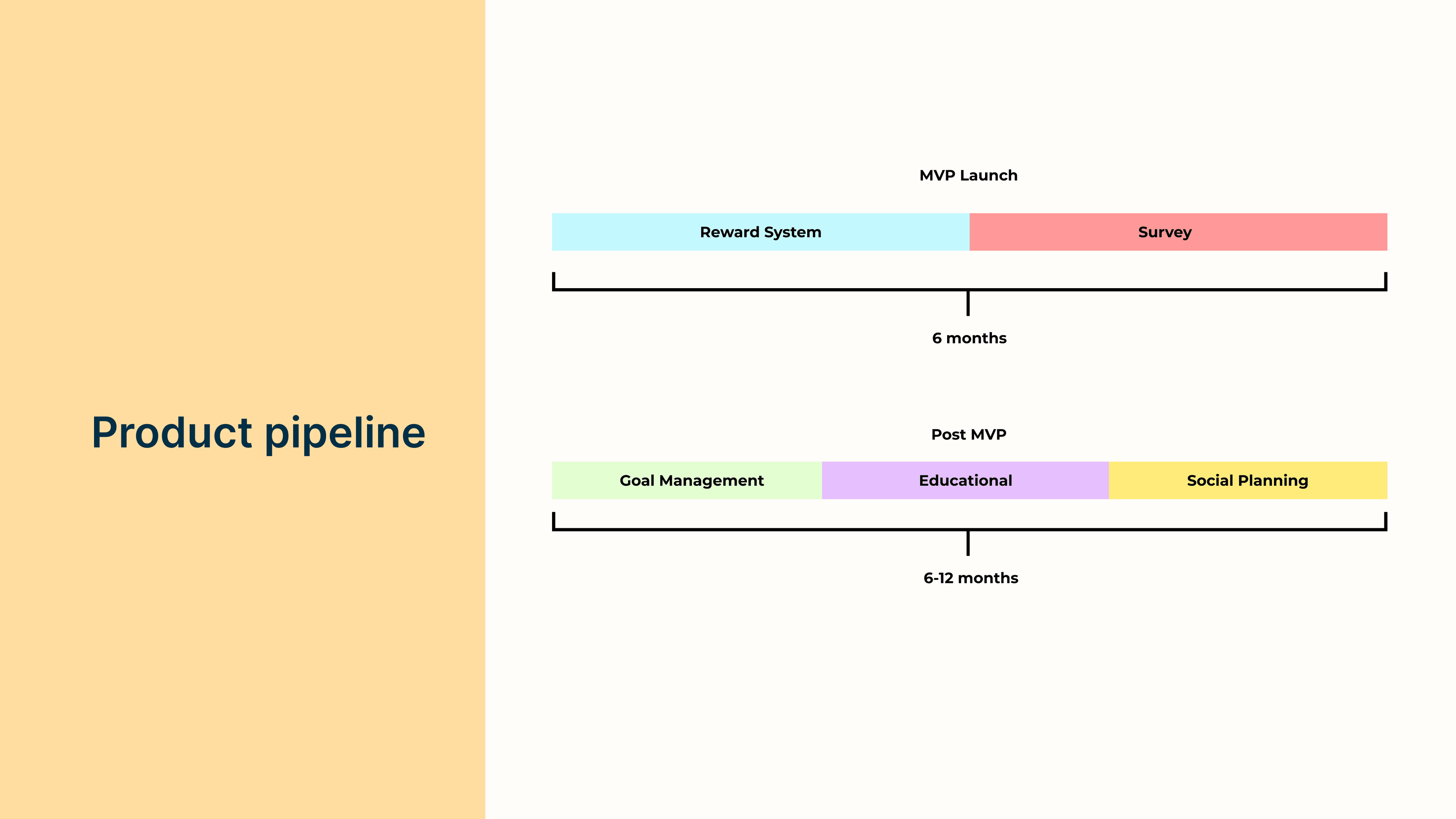
Based on the results of the impact/effort matrix, the features that will take place in the MVP launch will be a reward and survey system.
Key Features
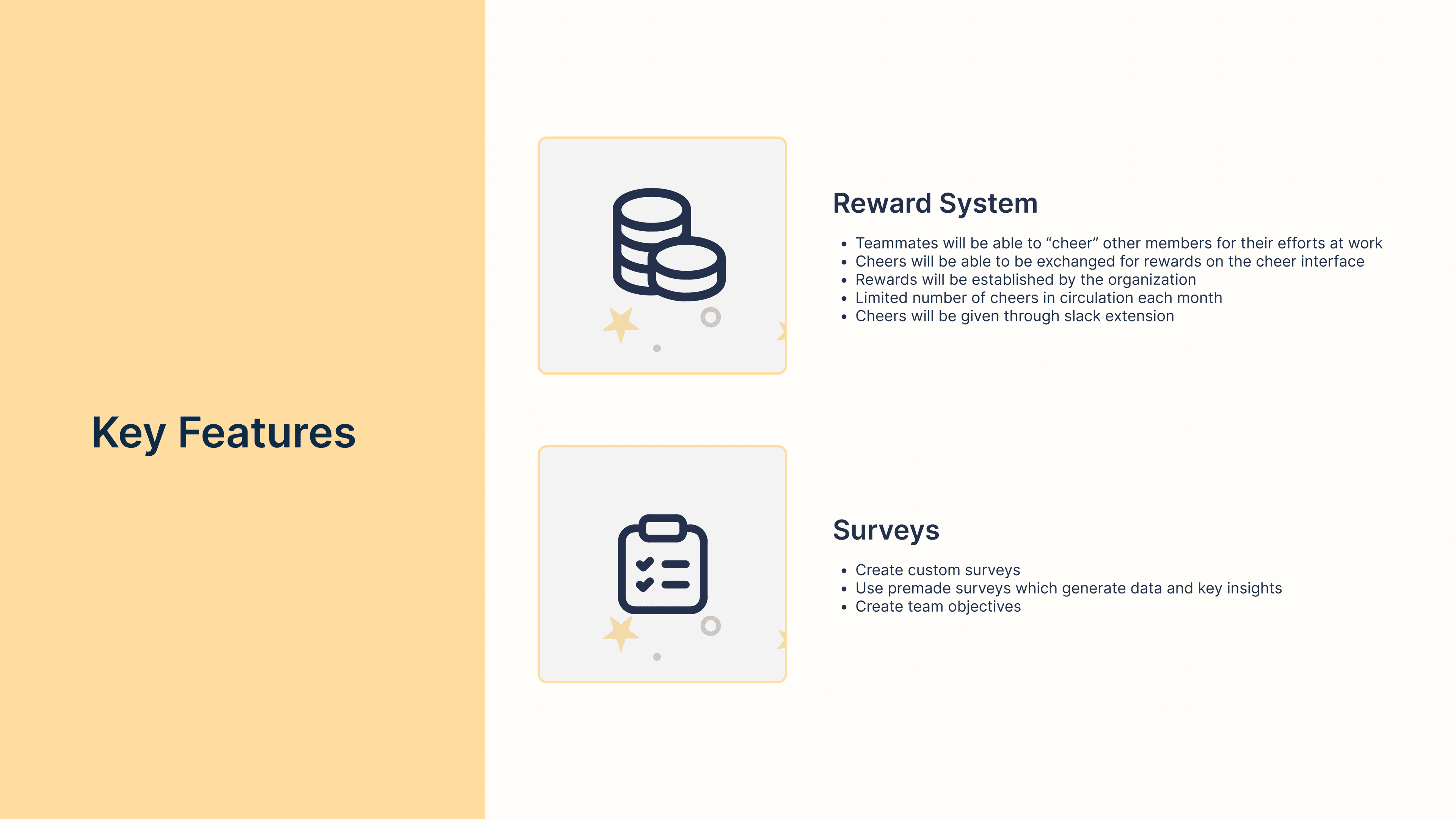
Below is an outline of details that each feature would entail.
User Personas
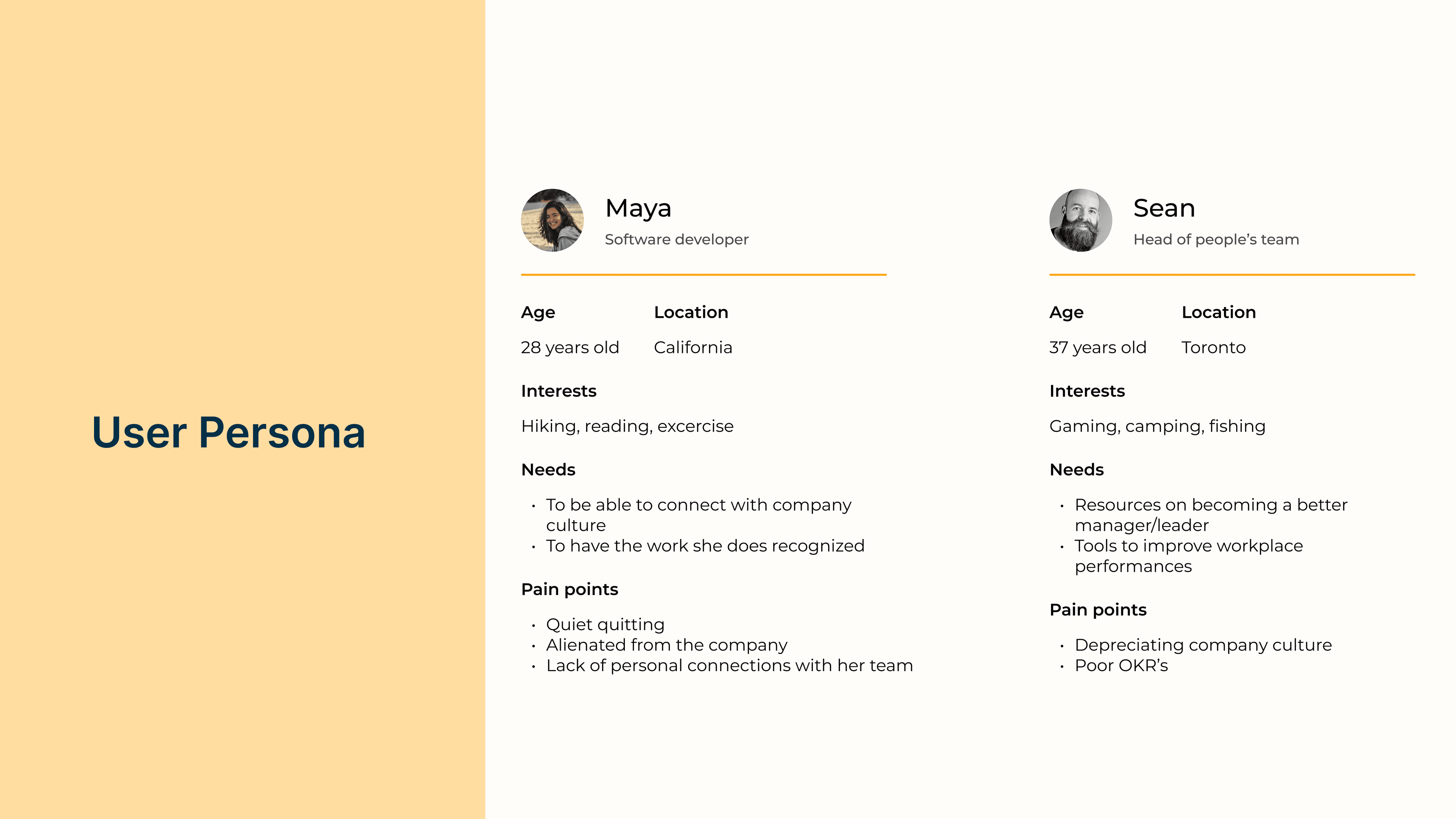
The product I will be designing will be targeted to two users, the employee who wants to receive recognition, and the manager who wants to improve employee morale by giving employees recognition.
The Product
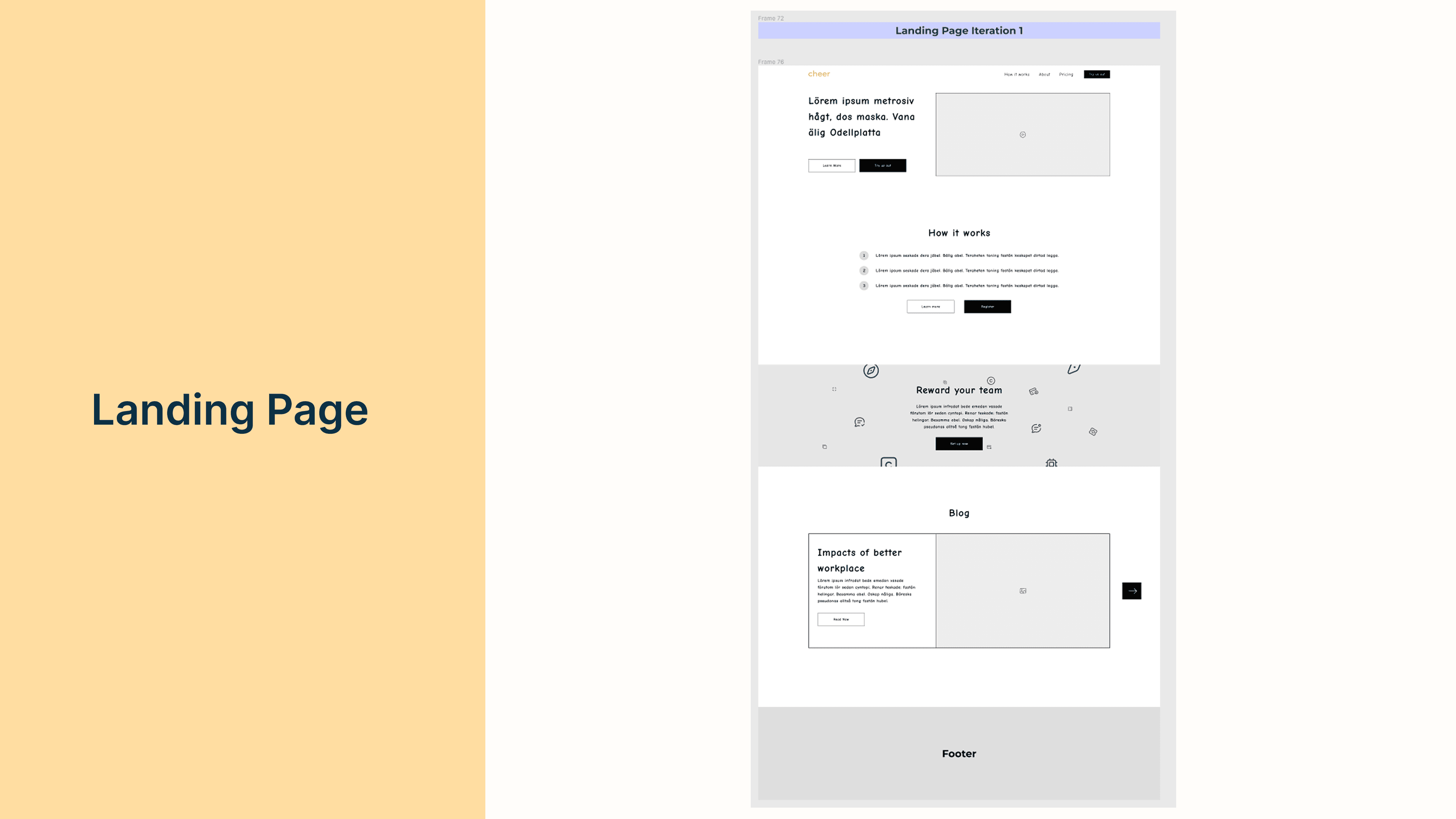
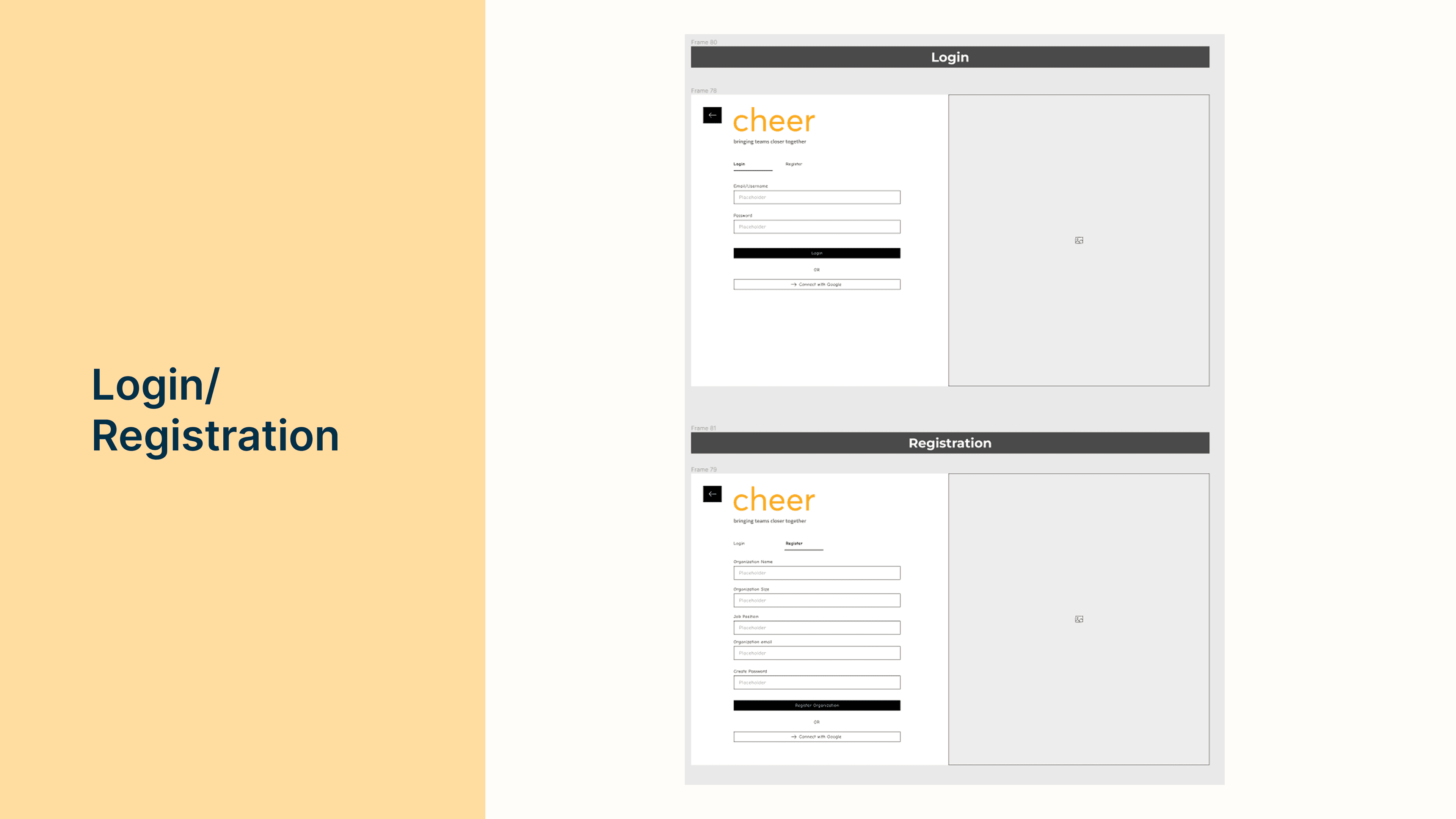
Now that I have laid down the foundation for the product I want to design, I start diving into the actual visual process.
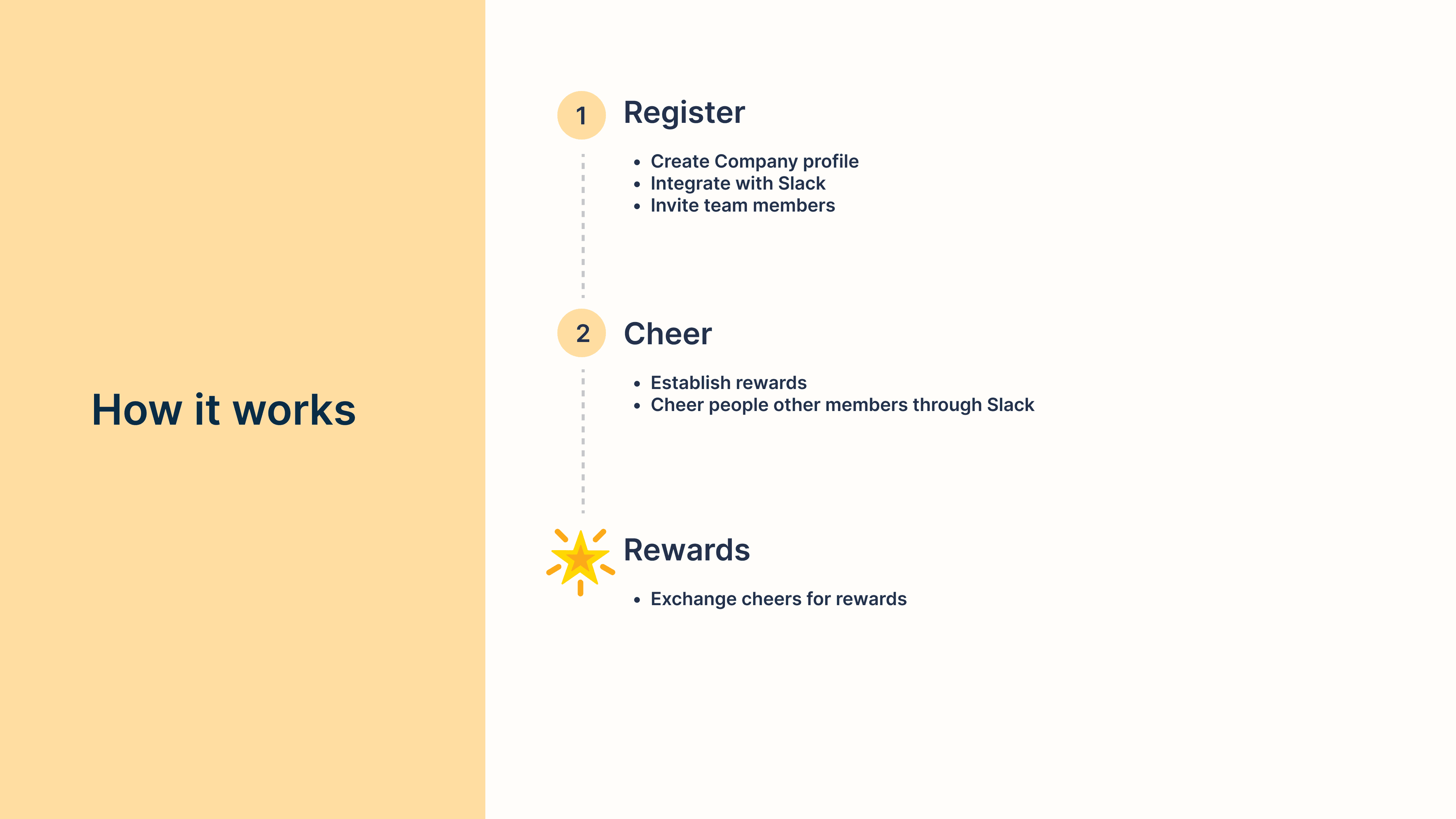
How it works
Cheer's product offering will be a simple three-step process that is leveraged on Slack integration. When the organization establishes a Slack connection, establish rewards, and invite employees, the organization can begin Cheering each other on!
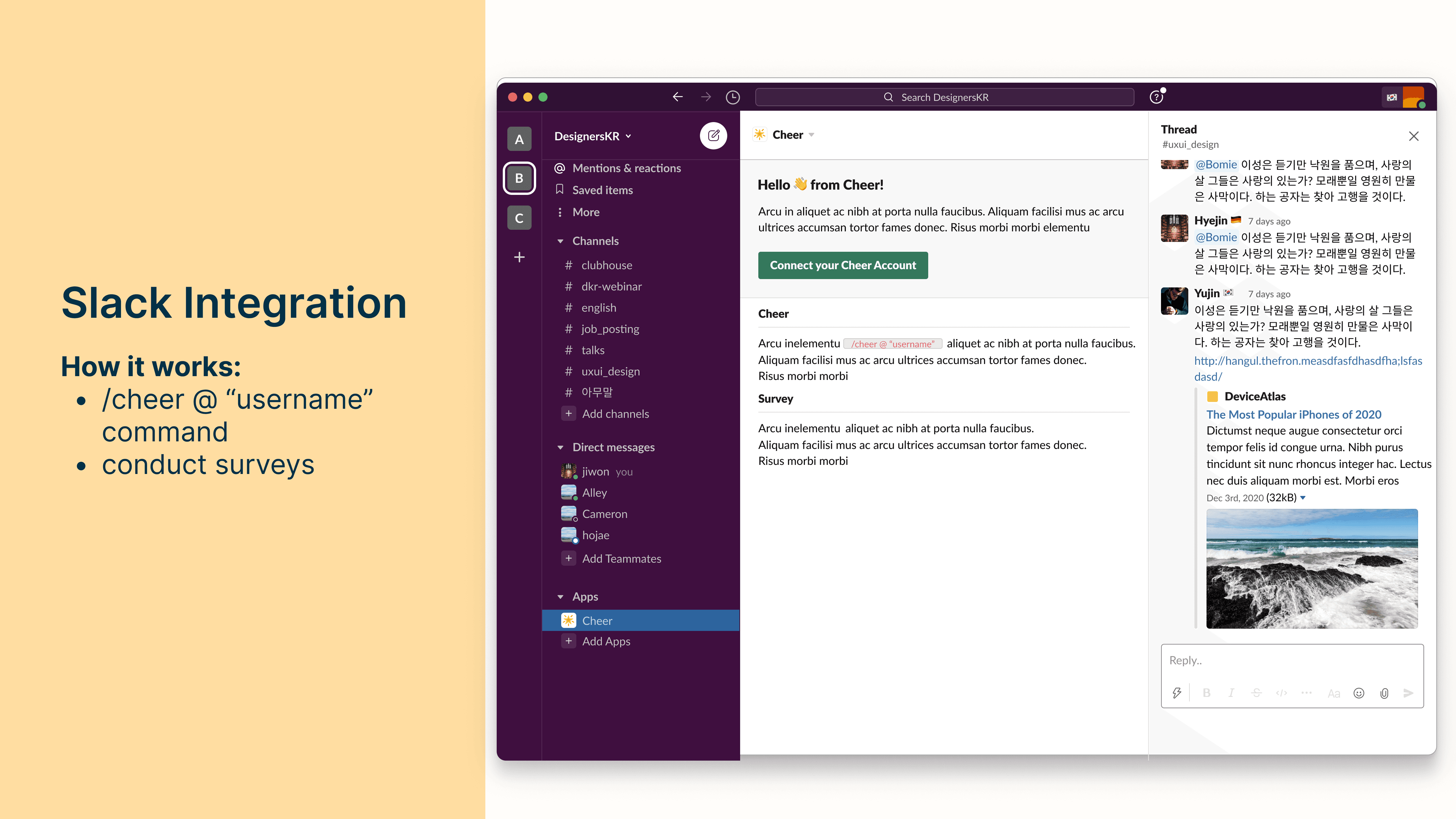
Slack Integration
Below is a visualization of what the Slack integration would look like. Members of the organization can Cheer people on within Slack through a simple command of "/cheer @ "username"" which would award the targeted user.
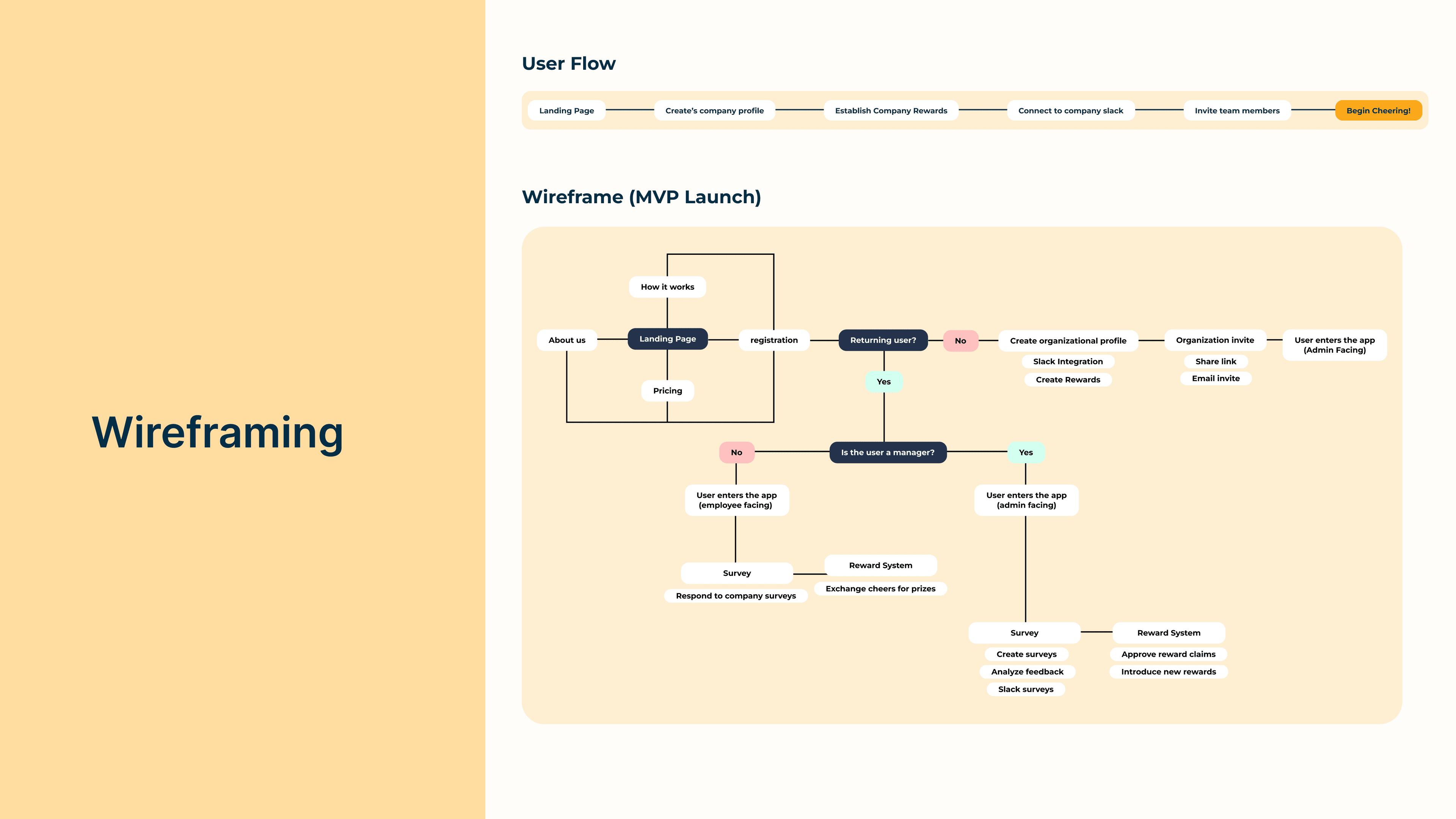
Wireframing
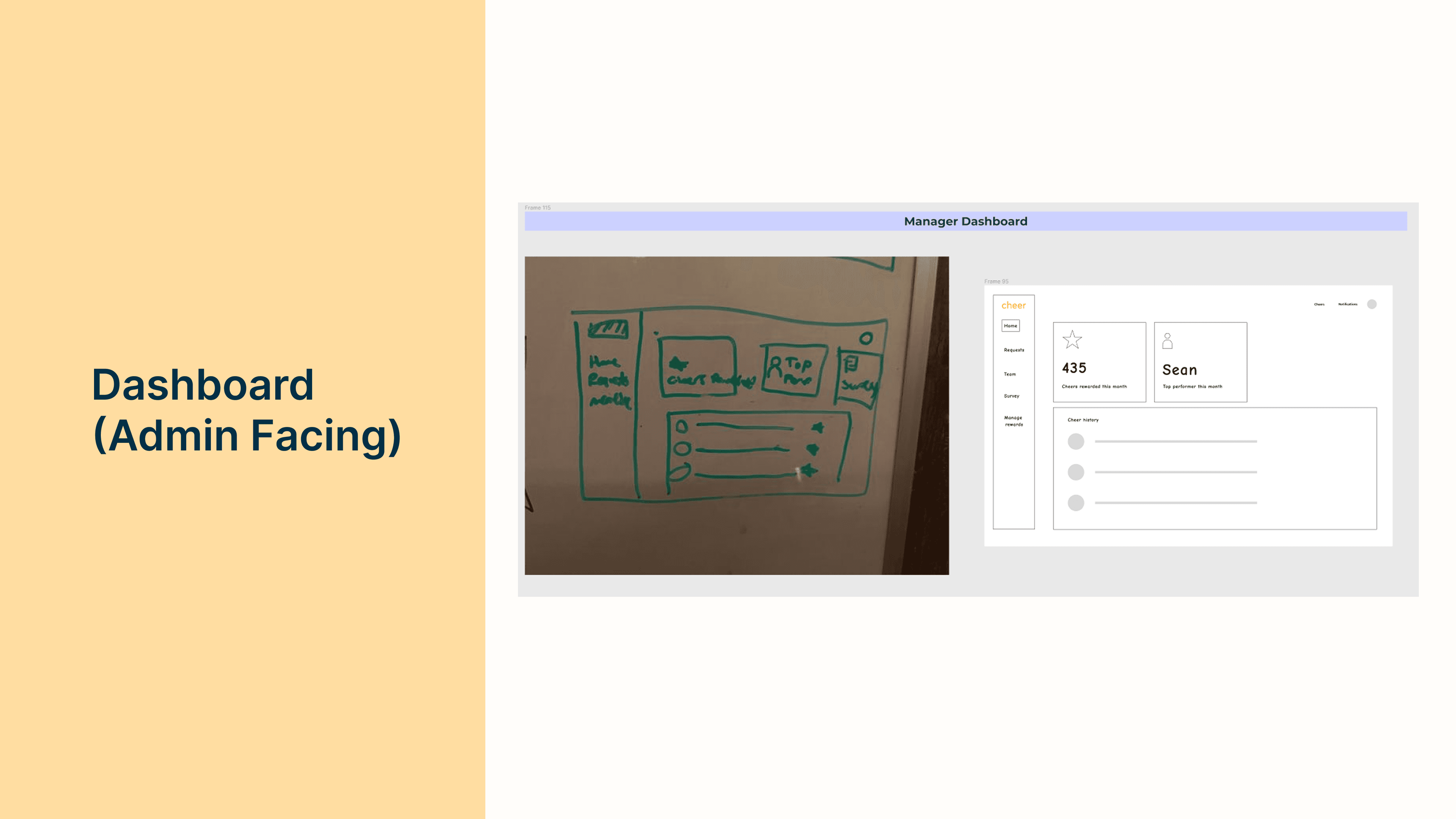
Below is the information architecture I mapped out for the user and how they will interact with our product.
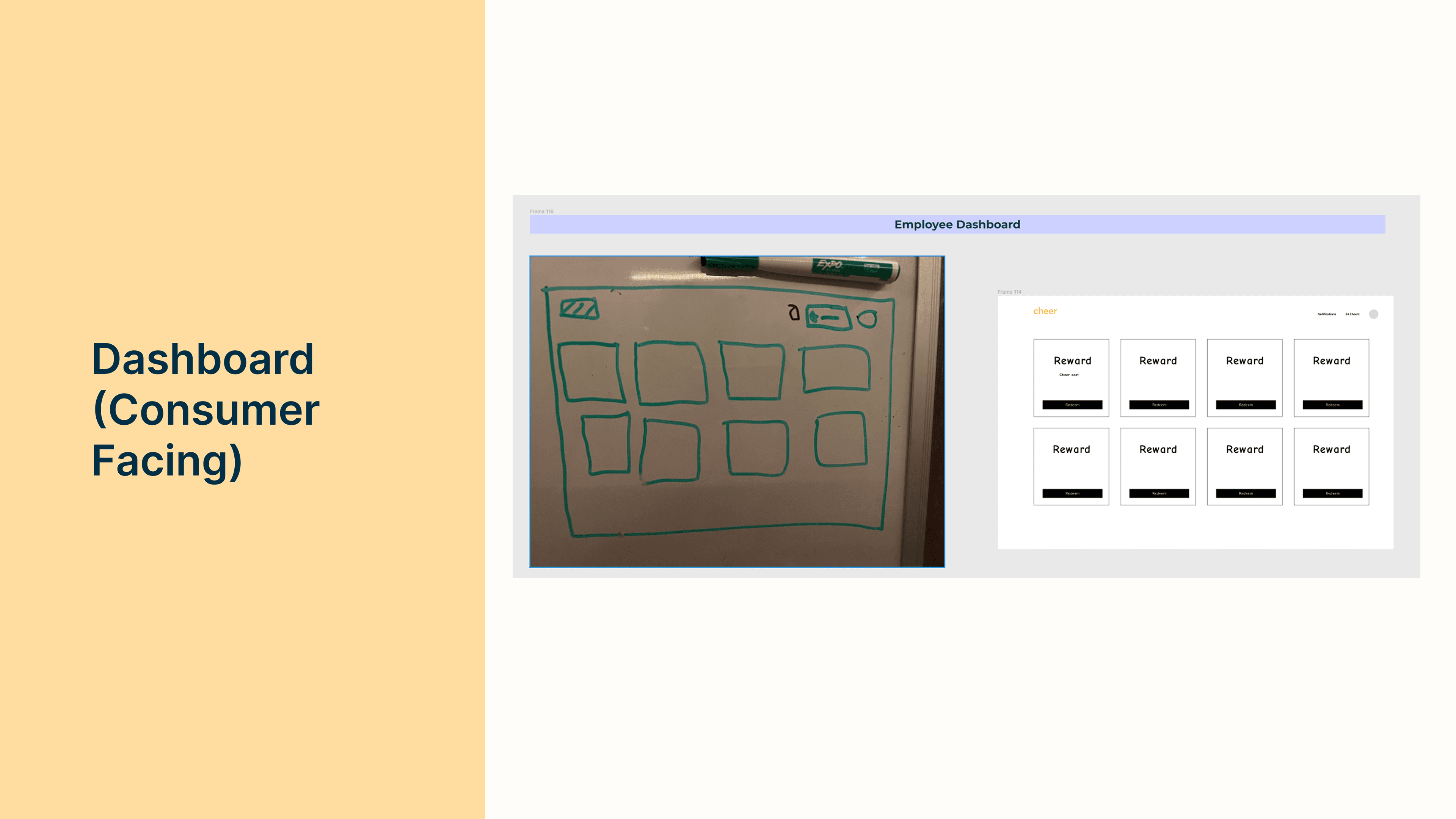
Low-Fidelity
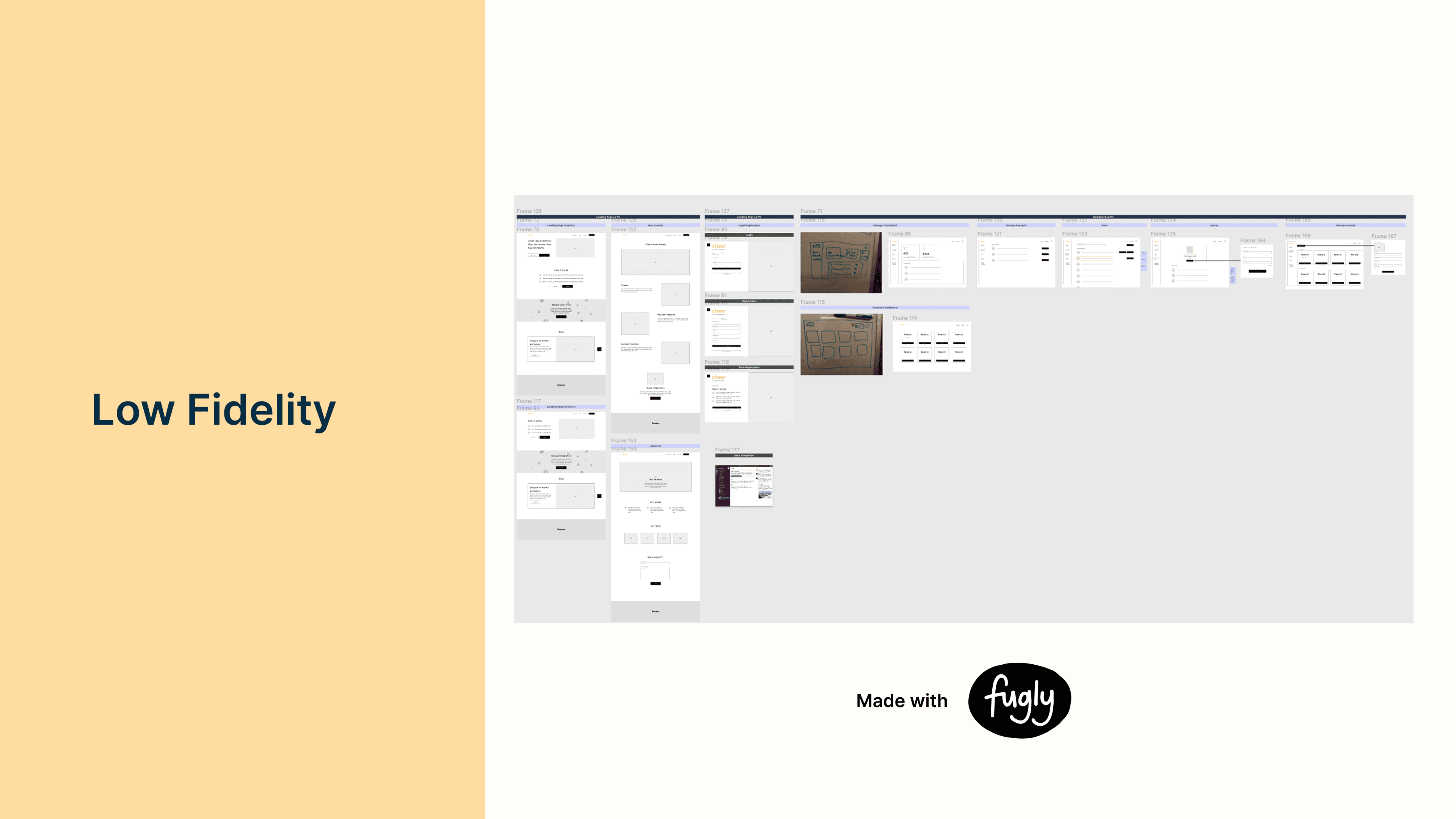
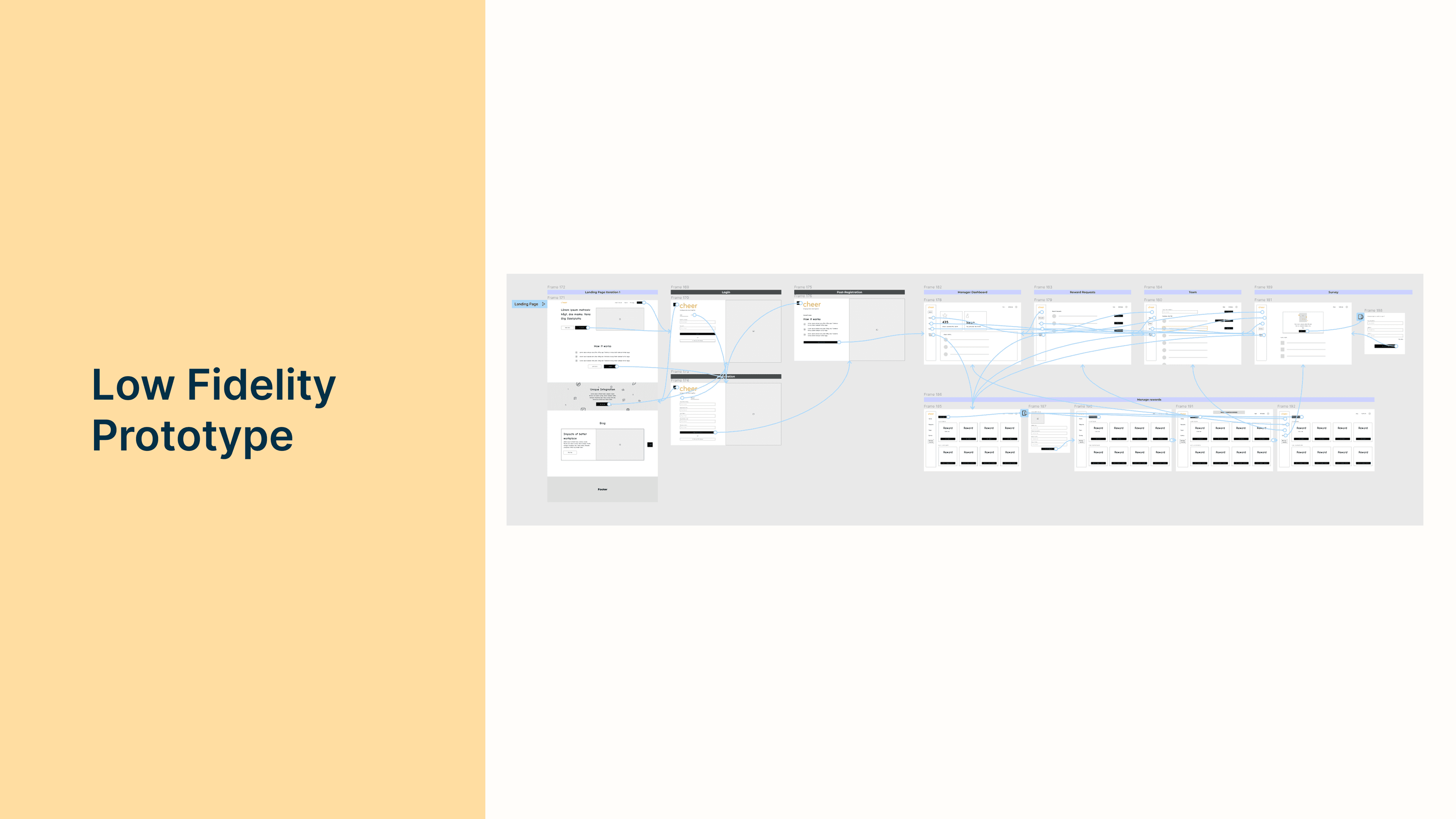
Below is a screenshot of the Figma low-fidelity designs that cover all the features for the product.
Prototype
I then created a clickable prototype walkthrough to test with the targeted users for Cheer.
User Testing
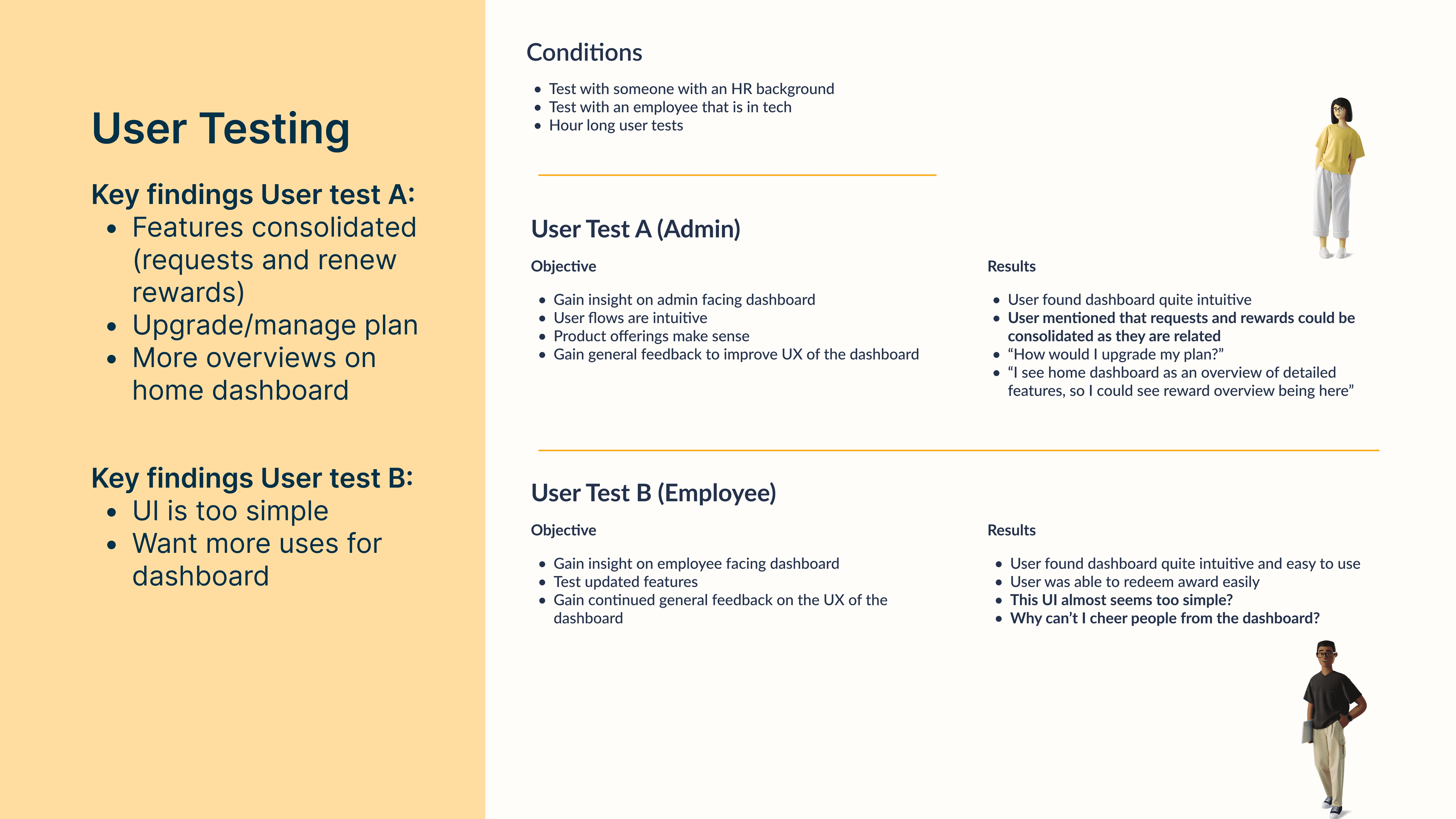
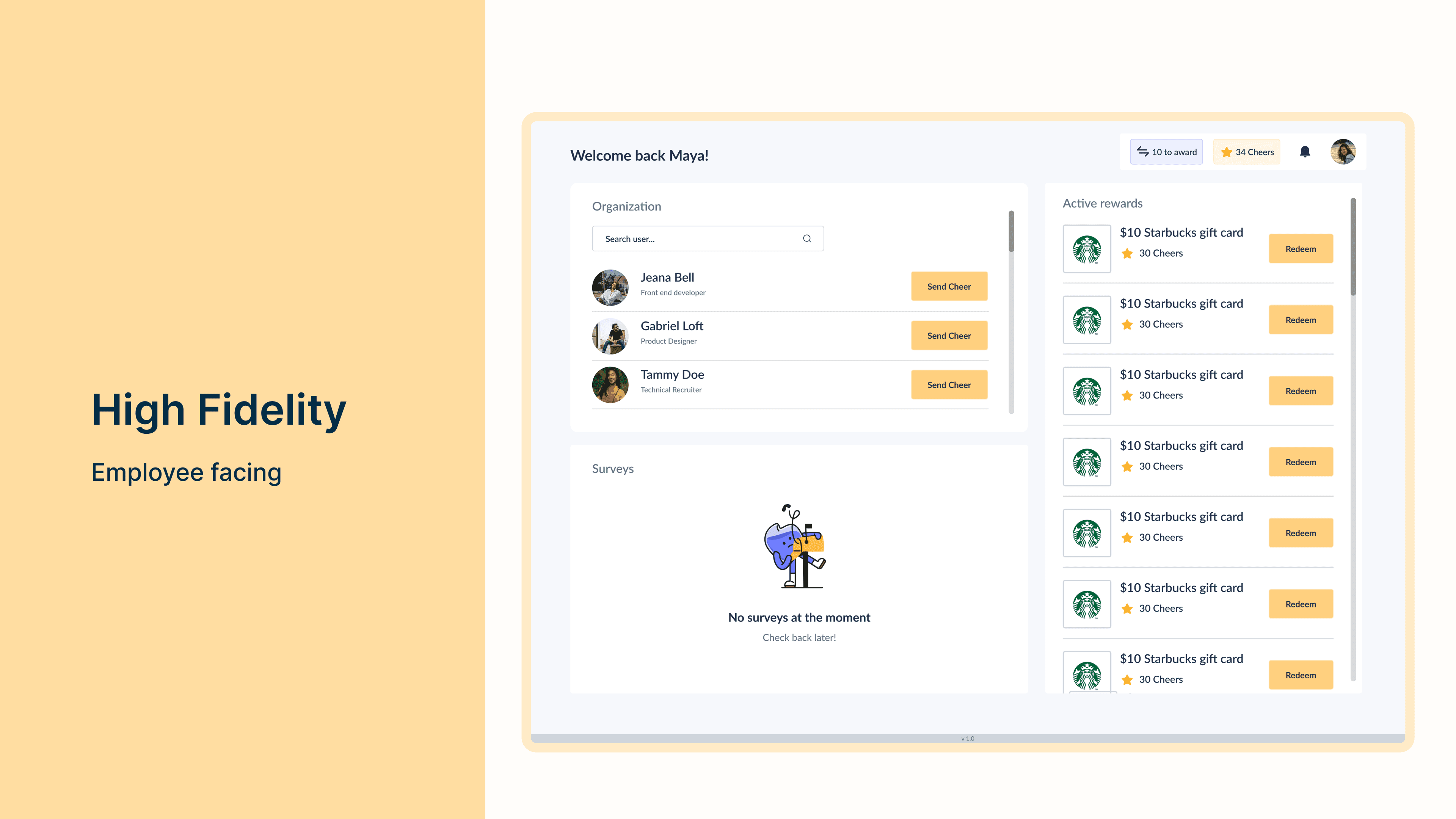
I conducted user tests with users who would be the targeted demographic of Cheer. I tested with an employee in the tech space for the employee facing dashboard and I also tested with a manager in the tech space (HR specific) to test the admin facing dashboard.
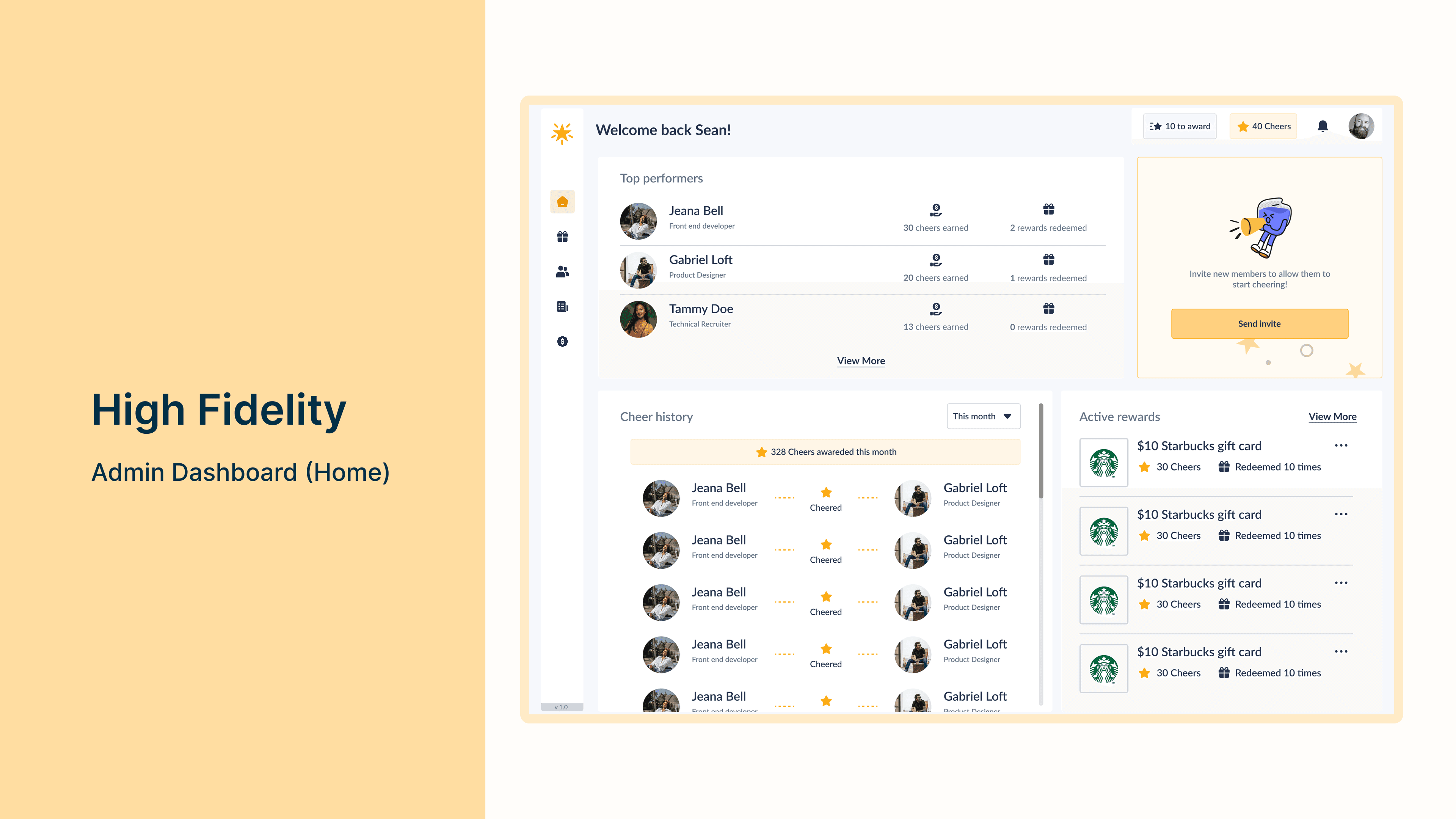
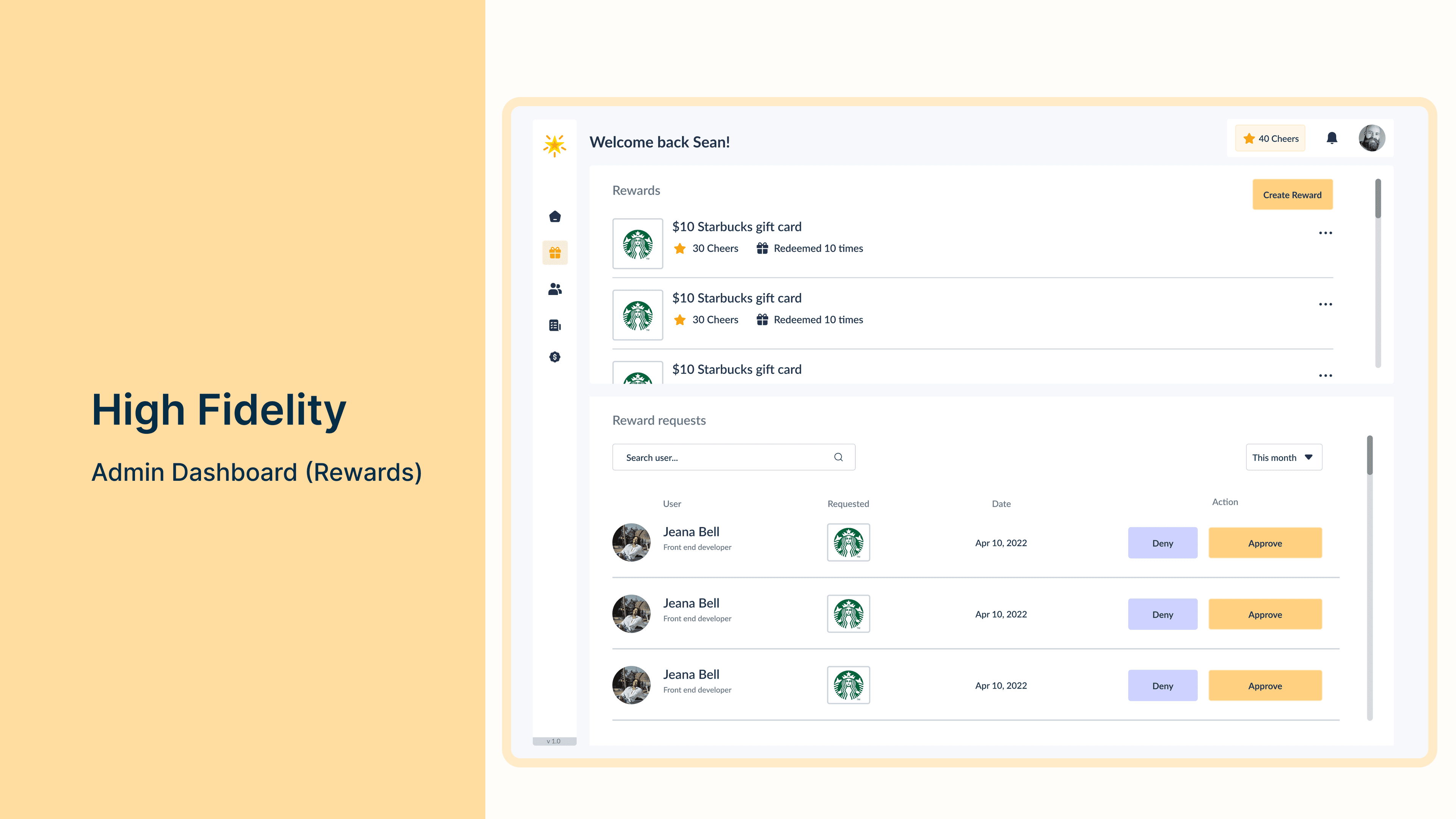
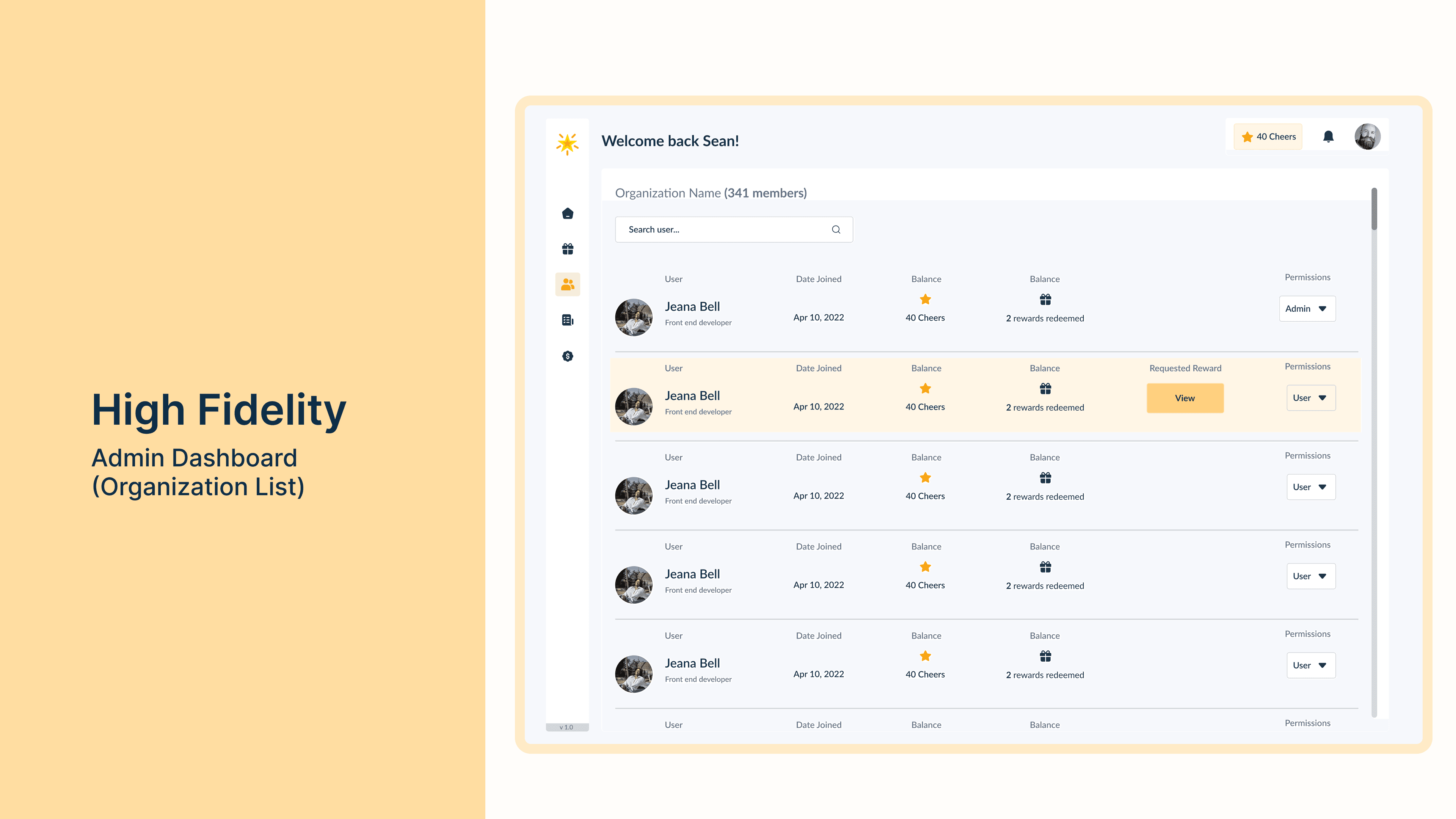
High-Fidelity
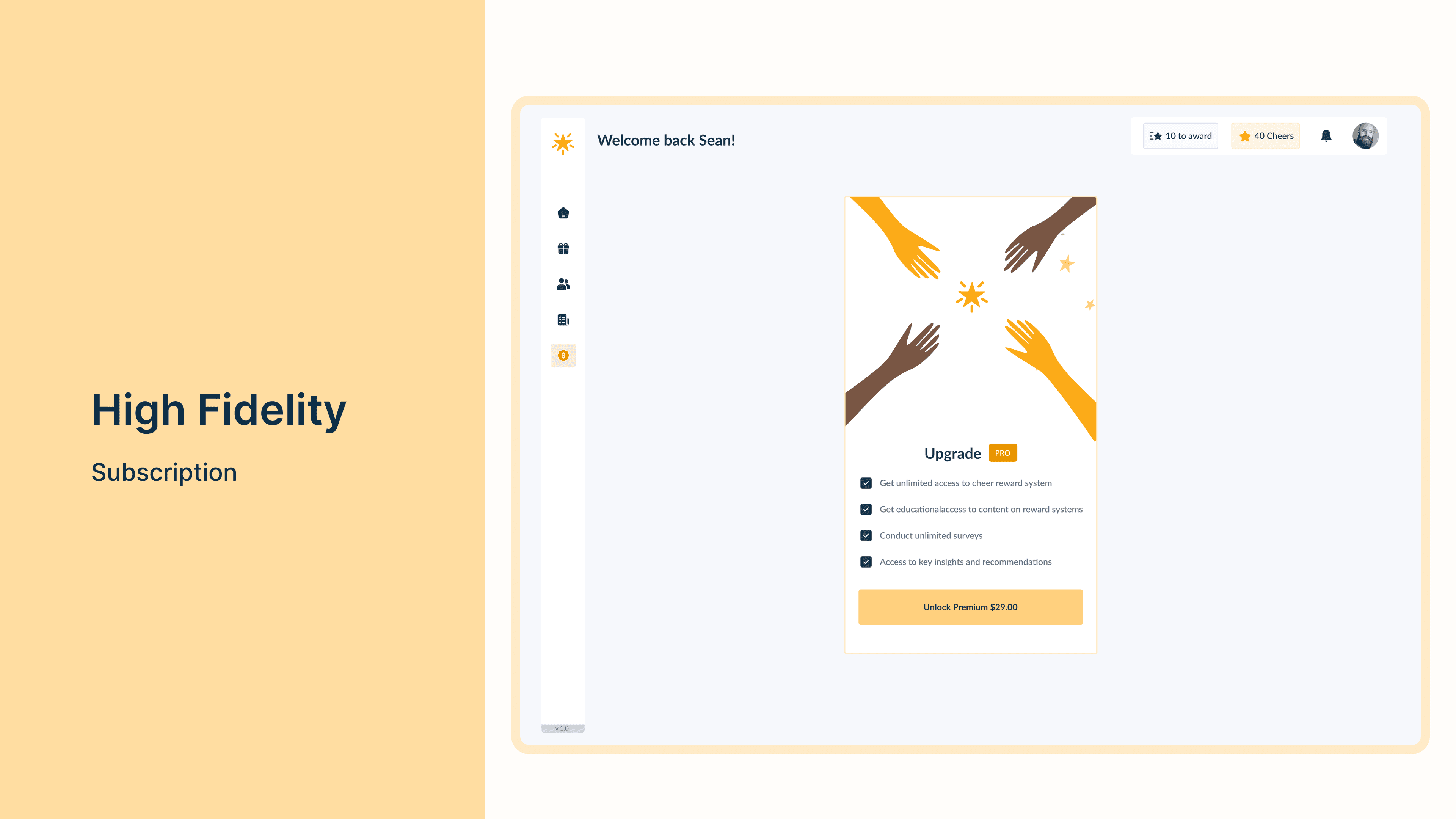
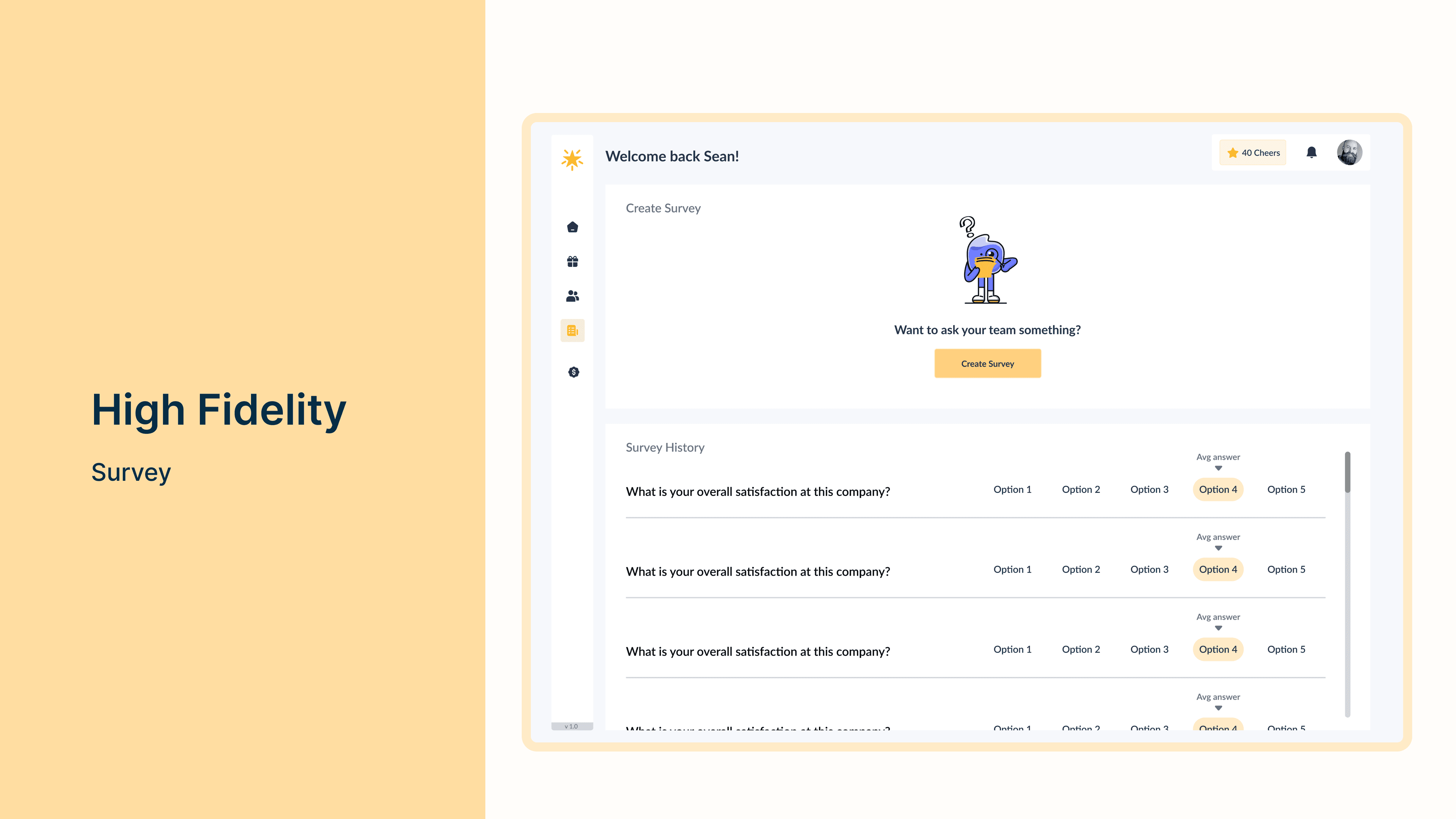
With the feedback gained from the user tests, I began integrating feedback into the high-fidelity visuals. Below are the high-fidelity visuals I came up with.
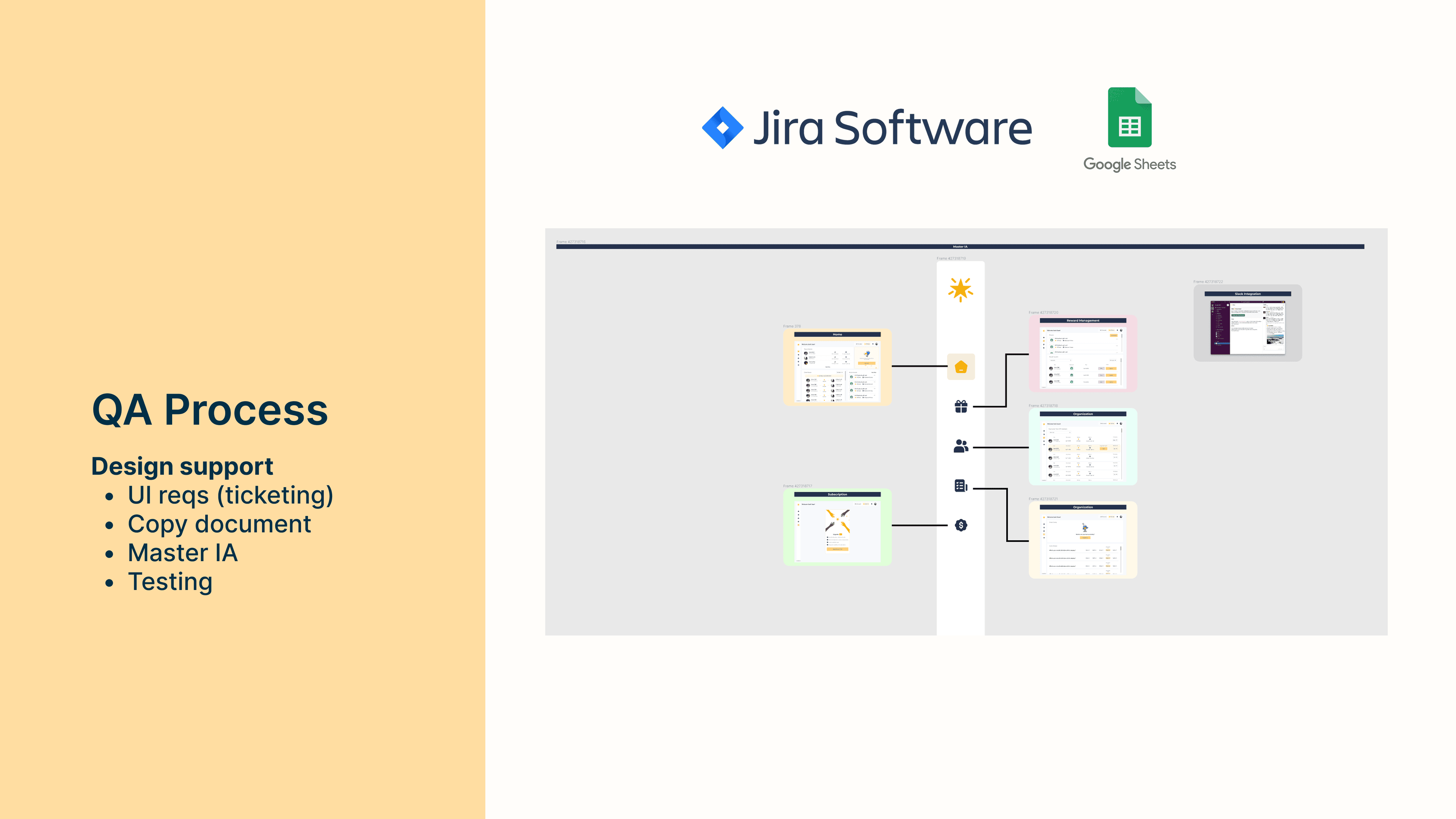
Design Support
Just as important as it is to have designs ready to develop, it is also important to have a support system around the designs. There are a few ways us designers can support our developers and QA team which include:
- Design support
- UI requirements (ticketing in JIRA)
- Copy document
- Master IA
- Testing
Looking Ahead
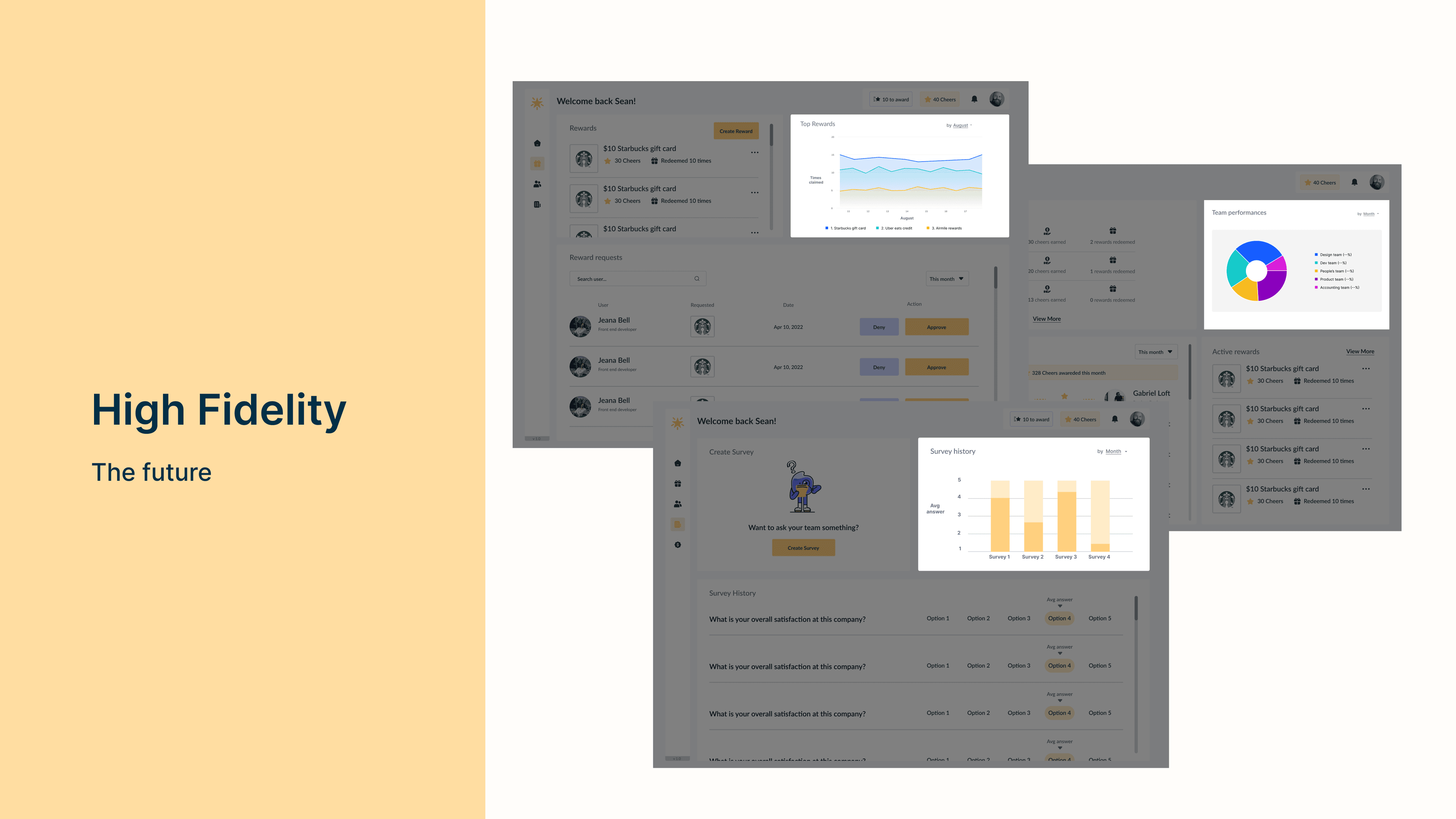
In this challenge, there was an obvious time constraint, and often times this is a reality when shipping products in startups. So although these features may not be included in MVP launch I wanted to show that I have thought about features that may occur post MVP launch. My main focus in the future work is analytics to help better employee recognition.
Thank You